Two ways to use AllergenKit · no signup
Save your menus.Reuse your checked work.
Start with a saved menu, or use ingredients and recipes when you need labels. These are separate workflows in the same Pro account.
Screens use invented business and food data. Check your own current recipes and supplier information before using any output.
Keep a menu ready for the next service
Start directly with menu items and their checked allergen facts. Save a named menu, reopen it, and reuse those items across menus. You do not need to build recipes first.
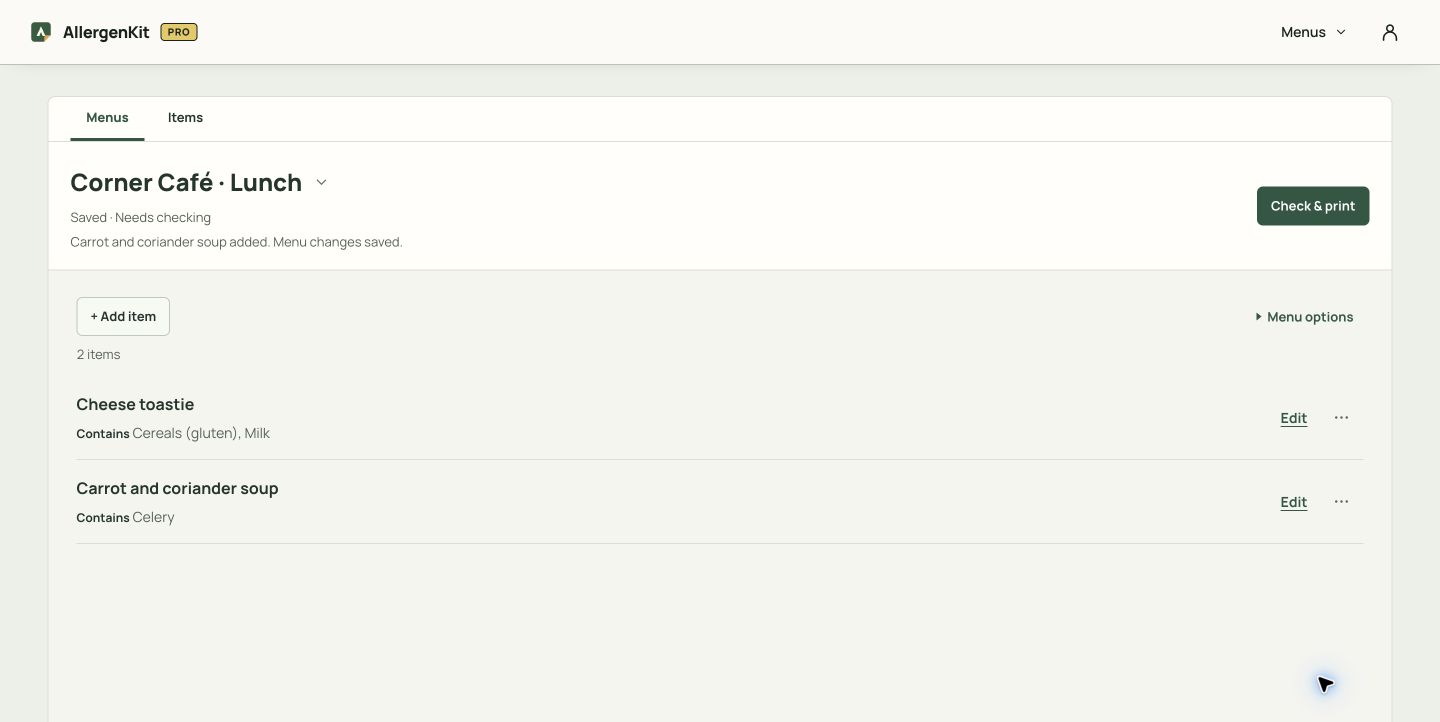
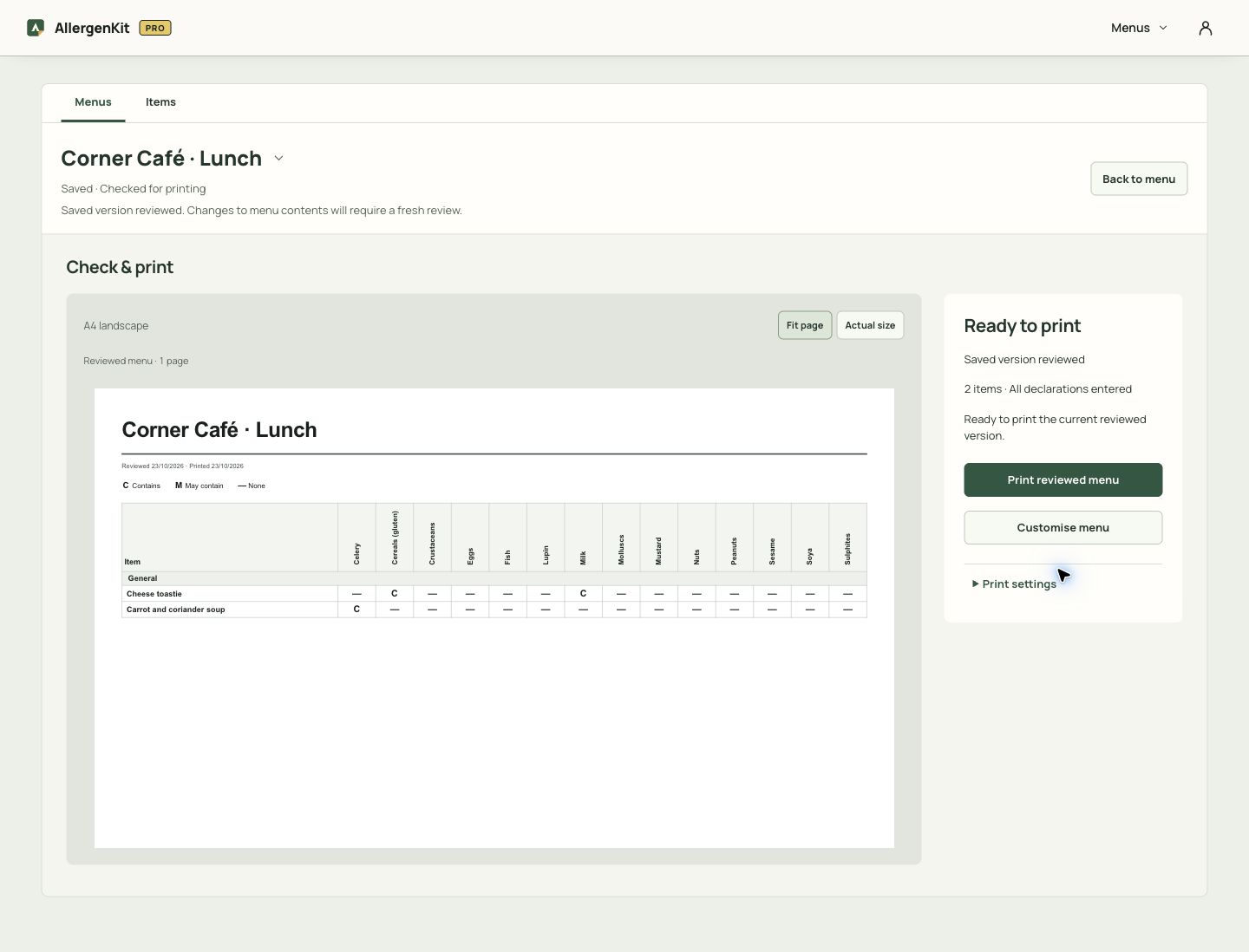
Try saved menus free for 7 days
No card needed. Then £9/month if you choose to continue.
Need ingredient labels too?
The ingredient-and-recipe workspace builds declarations for recipe labels, recipe matrices, QR menus and records. A saved manual menu does not create a complete ingredient label.
The workflow
The recipe tools reuse your saved ingredient facts. Review outputs when those facts change.

Save checked supplier ingredients
Copy the wording from the pack and tick only the allergens you have verified. AllergenKit never guesses an allergen — it keeps what you checked, ready to reuse.
Carries forwardThe exact supplier wording and the allergens you confirmed.
Build it once. Reuse it for the next batch.
You check the ingredient facts. AllergenKit handles the repetitive structure when you duplicate a flavour, swap a supplier or print the next run — with a review before you use the resulting labels or republish a QR menu.
- PPDS labels
- Allergen matrix
- Customer QR menu
- Dated records pack
- 7-day free trial
- No card needed
- Then £9/month